How to Charge an IQOS ILUMA: Every Model Explained
Quick answer
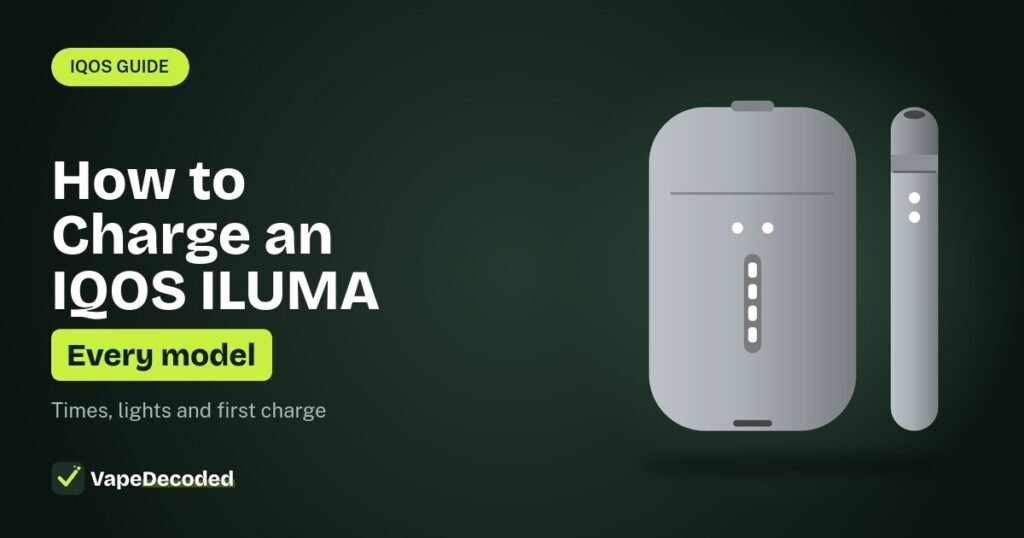
Plug the pocket charger (or the ONE device) into a wall outlet with a USB-C cable and a compatible AC power adaptor. The holder charges by sitting inside the pocket charger with the door closed. IQOS says a full charge takes about 135 minutes for ILUMA, ILUMA PRIME, ILUMA i and ILUMA i PRIME, and about 90 minutes for ILUMA ONE and ILUMA i ONE. While charging, the strip lights pulse. When all 4 lights are solid white, it is full. Charge it fully before your first use.
This guide covers all six ILUMA models: ILUMA, ILUMA PRIME, ILUMA ONE, ILUMA i, ILUMA i PRIME and ILUMA i ONE. Every time and light pattern below comes from an IQOS support page, and we name the page when models or countries differ. If your device will not charge at all, skip to our guide on IQOS ILUMA not charging.
IQOS ILUMA charging: quick reference
| Model | What you plug in | Full charge time | Holder charge |
|---|---|---|---|
| ILUMA | Pocket charger | About 135 min | About 5 min 15 s for 2 uses |
| ILUMA PRIME | Pocket charger | About 135 min | About 5 min 15 s for 2 uses |
| ILUMA i | Pocket charger | About 135 min | Up to 12 min on first charge |
| ILUMA i PRIME | Pocket charger | About 135 min | Up to 10 min on first charge |
| ILUMA ONE | The device itself | About 90 min (IQOS Egypt: at least 75 min) | No separate holder |
| ILUMA i ONE | The device itself | About 90 min | No separate holder |
What cable and adaptor does IQOS ILUMA use?
Every ILUMA model has a USB-C port. IQOS says to charge from a wall outlet using a compatible charging cable and AC power adaptor. Here is what IQOS pages say about each part:
- Cable: IQOS UK says IQOS 3 DUO and IQOS 3 MULTI cables work with ILUMA because they are also USB type C. IQOS 2.4 and 2.4 Plus cables do not fit, because they use USB type B.
- Adaptor for ILUMA, ILUMA PRIME and ILUMA ONE: IQOS UK says to use the supplied power adapter and power cord.
- Adaptor for ILUMA i: IQOS Malaysia lists a "compatible AC Power Adaptor (5V, 2A, Type C output)".
- Adaptor for ILUMA i PRIME: IQOS Egypt says you can buy an IQOS adaptor, reuse the adaptor and cable from your old IQOS device, or use a "compatible third-party AC power adaptor (5V 2A with the safety certification mark)".
- Adaptor for ILUMA i ONE: IQOS UK says the compatible AC power adaptor is "sold separately".
So whether an adaptor comes in the box depends on the model and the country. If yours did not include one, a certified 5V 2A USB-C wall adaptor matches what IQOS lists. IQOS UK still says to always use the original IQOS accessories, and to avoid anything damaged or tampered with.
If you also own an older blade device, the steps are different. See how to charge an IQOS 3 DUO.
How to charge the IQOS ILUMA pocket charger
This applies to the two-piece models: ILUMA, ILUMA PRIME, ILUMA i and ILUMA i PRIME.
- Connect the USB-C cable to the pocket charger.
- Plug the cable into the AC power adaptor, then into a wall outlet.
- Leave it to charge. The holder can be inside or outside. IQOS says you can charge the pocket charger "with or without the Holder inserted."
- Unplug when all 4 strip lights are solid white.
A full charge takes about 135 minutes (2 hours 15 minutes). IQOS UK says a full ILUMA or ILUMA PRIME pocket charger gives about 20 uses. The pocket charger does not need a full charge to work, so a short top-up is fine on a normal day.
Check the pocket charger battery level
On ILUMA and ILUMA PRIME, IQOS UK says to press the button and count the white strip lights:
- 4 lights: more than 75%
- 3 lights: 50% to 75%
- 2 lights: 25% to 50%
- 1 light: less than 25%
How to charge the ILUMA holder
The holder has no port of its own. It charges from the pocket charger.
- Make sure the pocket charger has some charge. IQOS says it should show at least one solid white light.
- Put the holder into the pocket charger the right way round. IQOS UK says to pay "attention to turn it in the correct direction."
- Close the door (IQOS calls it the Wrap on ILUMA i).
- Wait until the holder lights on the pocket charger turn solid white.
How long does the ILUMA holder take to charge?
Holder charging is quick. IQOS UK and IQOS Philippines give these times for ILUMA and ILUMA PRIME:
- 0 to 1 use: about 1 minute 50 seconds
- 1 to 2 uses: about 3 minutes 25 seconds
- 0 to 2 uses: about 5 minutes 15 seconds
A full holder gives up to 2 back-to-back uses on ILUMA and ILUMA PRIME.
Holder lights while charging
- ILUMA and ILUMA PRIME: pulsing white round lights on the pocket charger mean the holder is charging. Two lights mean enough charge for 2 uses, one light means 1 use.
- ILUMA i: IQOS Malta says to leave the holder charging "until the two Holder's lights on the Pocket Charger turn solid white."
- ILUMA i and ILUMA i PRIME screen: if a "0" flashes on the touch screen, the holder battery is low. Put it back in the pocket charger.
How to charge IQOS ILUMA ONE and ILUMA i ONE
The ONE models are all-in-one. There is no holder to charge separately. Plug the USB-C cable into the device, connect the AC power adaptor, and plug it into a wall outlet.
- ILUMA ONE: IQOS UK and IQOS Philippines say about 90 minutes for a full charge. IQOS Egypt says to plug it in "for at least 75 minutes." When full, IQOS Egypt says all lights stay solid white and then turn off.
- ILUMA i ONE: IQOS UK and IQOS Malta say about 90 minutes. IQOS UK says the "4 lights will turn solid white and then turn off when it is fully charged."
IQOS UK says to make sure the ports on both the ILUMA i ONE and the cable are dry and clean before you charge it.
What do the IQOS ILUMA lights show while charging?
The pattern is much the same across models. Here is what IQOS says:
- Pulsing strip lights: the device is charging. IQOS Philippines says this for ILUMA, ILUMA PRIME and ILUMA ONE. IQOS Malta says the same for ILUMA i and ILUMA i ONE.
- Blinking yellow at the start: the battery is very low. IQOS UK says the light is yellow until 7%. IQOS Malta says the same for ILUMA i and ILUMA i ONE: the light blinks yellow, then turns white once the charge passes 7%.
- First solid white light: IQOS UK says one solid white light means about 25%.
- All 4 strip lights solid white: 100%, fully charged.
For ILUMA i PRIME, IQOS Egypt says 15 minutes of charging should be long enough for the yellow light to turn white. IQOS UK says the same 15 minutes for the blinking yellow or orange light on ILUMA.
Some lights during charging are a warning, not normal. On ILUMA i PRIME, IQOS Egypt says 3 blinking white lights on the pocket charger mean slow charging. For the full list of colors, read IQOS ILUMA lights meaning or IQOS ILUMA i lights meaning.
No lights when you first plug it in?
A fully drained battery does not light up straight away. IQOS UK says "strip lights will not turn on if the battery is totally depleted," and it may take 15 minutes for a light to show. Other IQOS pages give different waits:
- Up to 20 minutes for a heavily drained ILUMA, ILUMA PRIME or ILUMA ONE (IQOS Philippines).
- Up to 10 minutes for ILUMA i (IQOS Malta).
- A few seconds for ILUMA i ONE (IQOS UK and IQOS Malta).
If nothing shows after 20 minutes on a wall outlet, follow the steps in IQOS ILUMA not charging.
First charge: what to do with a new ILUMA
IQOS says to charge every ILUMA model fully before the first use. Two-piece models need about 135 minutes and ONE models about 90 minutes. IQOS UK also says that charging the device automatically turns it on.
The first holder charge can take longer than normal. IQOS says this is expected:
- ILUMA and ILUMA PRIME: up to 10 minutes (IQOS Philippines gives about 10 minutes 5 seconds).
- ILUMA i: up to 12 minutes (IQOS Malaysia).
- ILUMA i PRIME: up to 10 minutes (IQOS Egypt).
The same longer time can happen after the device has not been used for a long while.
IQOS ILUMA charging tips
- Use a wall outlet. IQOS says to charge from a wall power outlet with a compatible AC power adaptor.
- Keep ports clean. IQOS UK says to blow gently into the USB ports on the pocket charger, cable and adaptor, or use a soft dry cloth.
- Wipe the holder contacts. If the holder charges slowly, IQOS UK says to gently clean the contacts on both the holder and the pocket charger.
- Do not charge in the heat. IQOS UK says to avoid charging ILUMA in hot places. IQOS gives an operating range of 0°C to 40°C (32°F to 104°F). Keep it out of hot cars and direct sun.
- Use the right pocket charger. IQOS UK says a pocket charger from another IQOS generation cannot charge an ILUMA or ILUMA PRIME holder.
- Test the cable and adaptor. If charging is slow, IQOS says to swap in another compatible cable or adaptor to find the faulty part.
When to get help
If the device stays dark after 20 minutes on a wall outlet, charges very slowly, gets hot, or shows a red light, stop and check our ILUMA not charging guide. Do not charge a device that is damaged. Contact IQOS support if a reset does not help.
FAQs
How long does an IQOS ILUMA take to charge?
About 135 minutes for the ILUMA, ILUMA PRIME, ILUMA i and ILUMA i PRIME pocket charger. About 90 minutes for ILUMA ONE and ILUMA i ONE. IQOS Egypt gives "at least 75 minutes" for ILUMA ONE.
How do I know when my ILUMA is fully charged?
All 4 strip lights turn solid white. On ILUMA ONE and ILUMA i ONE, IQOS says the lights stay solid white and then turn off.
Can I use my IQOS 3 DUO cable to charge an ILUMA?
Yes. IQOS UK says IQOS 3 DUO and IQOS 3 MULTI cables work because they are USB type C. IQOS 2.4 and 2.4 Plus cables do not.
Can I charge my ILUMA from a laptop or power bank?
IQOS pages only describe charging from a wall outlet with an AC power adaptor. We could not find an official IQOS page that confirms laptop or power bank charging, so stick to a wall adaptor.
Sources: IQOS UK: How to charge ILUMA devices, IQOS UK: Device lights meaning, IQOS UK: How to fix no lights on IQOS ILUMA, IQOS UK: ILUMA guide, IQOS UK: Troubleshooting ILUMA i ONE, IQOS Philippines: How long does IQOS take to charge, IQOS Philippines: What do the lights on my IQOS mean, IQOS Malaysia: How to charge ILUMA i, IQOS Egypt: Charging ILUMA i PRIME, IQOS Egypt: Troubleshooting ILUMA ONE, IQOS Malta: ILUMA i FAQ, IQOS Malta: First steps ILUMA i, IQOS Malta: First steps ILUMA i ONE. Device illustrations are simplified. VapeDecoded is not affiliated with IQOS or Philip Morris International.
Same problem on another device? See vape not charging: fixes for every brand.
Safety note: Our guides are for general information only. Stop using any device that gets hot, swells, smells like burning plastic or leaks from the battery. Read our disclaimer.
Image credits: Product images on this page belong to their respective brands and are used for identification and education only. If you own an image and want it removed or credited, send us a request and we will act on it within 48 hours.