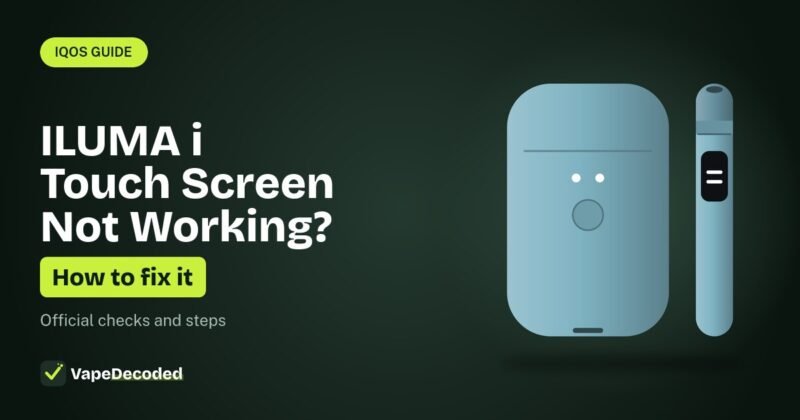
How to Clean an IQOS ILUMA: What to Clean and What to Avoid

Quick answer
IQOS says the ILUMA family does not need regular cleaning. There is no heating blade, and TEREA sticks are sealed so tobacco stays inside them. You only need to keep the device free of dust and debris: wipe the contacts between the holder and pocket charger, keep the USB-C port clean and dry, and check the stick opening for broken stick pieces. Use a soft dry cloth or gently blow on the parts. Never use water or any liquid, and never push sharp objects into the heating chamber.
This guide covers ILUMA, ILUMA PRIME, ILUMA ONE, ILUMA i, ILUMA i PRIME and ILUMA i ONE. Every step comes from official IQOS support pages. Where they disagree, we show what each says.
Does the IQOS ILUMA need cleaning?
Not in the way older IQOS devices do. IQOS UK says: "Our latest Bladeless range, IQOS ILUMA, does not require cleaning." IQOS Philippines says the same, and adds that you should still "keep your device clean from any foreign particles, remnants or dust."
The reason is how ILUMA heats. Older IQOS devices push the stick onto a metal heating blade, and tobacco builds up around it. ILUMA uses what IQOS calls SMARTCORE INDUCTION SYSTEM, with the heating part inside the TEREA stick, not the device. IQOS UK says this means "you don't need to clean IQOS ILUMA between uses."
TEREA sticks also help. IQOS Malta says the front seal "keeps your IQOS ILUMA holder clean after use with no tobacco residue left," and the two filters mean you do not have to clean the device every time you use it.
IQOS UK says it no longer stocks cleaning sticks for this reason. What you do need to look after are a few small areas where dust and debris cause problems.
IQOS ILUMA cleaning: quick table
| Part | Models | Why it matters | How to clean it (per IQOS) |
|---|---|---|---|
| Contacts between holder and pocket charger | ILUMA, ILUMA PRIME, ILUMA i, ILUMA i PRIME | Dirty contacts can stop the holder charging or showing lights | Take out the holder, blow gently on the contacts, wipe with a soft cloth |
| USB-C charging port | All ILUMA models | Residue in the port can stop charging | Unplug, blow gently or use a soft cloth, make sure it is dry |
| Charging cable and adaptor ports | All ILUMA models | Same as above | Blow gently or use a soft cloth |
| Heating chamber (stick opening) | All ILUMA models | Broken stick pieces can block the next stick or stop heating | Check for debris, remove it gently, no force |
| Touch screen | ILUMA i, ILUMA i PRIME | A wet or dirty screen may not respond | Keep the screen and your fingers clean and dry |
| Heating blade | None | ILUMA has no blade | Nothing to clean |
How to clean the IQOS ILUMA contacts
The two-part ILUMA models (ILUMA, ILUMA PRIME, ILUMA i and ILUMA i PRIME) have metal contacts where the holder sits inside the pocket charger. This is where the holder gets its charge.
IQOS UK says "debris on the contact areas between the parts can prevent the Holder from charging optimally." IQOS Malaysia and IQOS Malta both list dirty contacts as a cause of a holder that charges slowly or shows no lights.
To clean them, IQOS UK gives these steps:
- Take the holder out of the pocket charger.
- Gently blow on the contact areas of the holder and the pocket charger.
- If debris stays, wipe it away with a soft cloth.
- Put the holder back and check that it charges.
The one-piece ILUMA ONE and ILUMA i ONE have no separate holder, so there are no holder contacts to clean. Their care is the USB-C port and the stick opening.
If your holder still will not charge after cleaning, see our full guide on IQOS ILUMA not charging.
How to clean the IQOS ILUMA USB-C port
Every ILUMA model charges through a USB-C port. Dust, pocket lint or residue in the port can stop the cable from making a good connection.
IQOS UK says to make sure "the USB ports of the AC power adaptor, charging cable, and IQOS ILUMA Pocket Charger are clean," and that "you can blow gently on these or use a soft cloth." IQOS South Africa says the same for the ILUMA i ONE: if the lights are on but it will not charge, the charging ports may need cleaning. Unplug the device first and make sure the ports and cable are dry and free of residue. IQOS Malta also says to clean the charging ports on both the pocket charger and the cable when the pocket charger light blinks red.
So: unplug the cable, look into the port with a flashlight, blow gently or wipe the opening with a soft dry cloth, do the same for the cable end and adaptor, and make sure all of it is dry before you plug in again. IQOS gives no steps for pushing anything into the port, so do not use pins or wet swabs.
How to clean the IQOS ILUMA cap and stick opening
The stick opening (the heating chamber) is where you insert the TEREA stick. On ILUMA, ILUMA PRIME, ILUMA i and ILUMA i PRIME, this is the top of the holder. On ILUMA ONE and ILUMA i ONE, it sits under a sliding cap. IQOS Malaysia's ILUMA ONE page simply says "slide to close the cap."
We could not find any official IQOS step for cleaning the ILUMA cap itself. Unlike the IQOS 3 DUO, the ILUMA cap is not something IQOS tells you to take off and brush. The safe approach, based on the general IQOS advice to keep the device free of dust and debris, is to wipe the outside of the cap and the area around the opening with a soft dry cloth.
What IQOS does tell you is to check the heating chamber for leftovers. IQOS Malta and IQOS Luxembourg both say: "check the heating chamber for broken sticks or other debris or objects." This is the first thing to check if a new stick will not go in, or the device will not heat.
How to remove a broken TEREA stick
IQOS Egypt gives these steps for a stuck or broken stick in an ILUMA i device:
- Turn the device off.
- Let the holder and the stick cool down after the last use. Never pull a stick out while the device is in use.
- Try to pull the broken stick out carefully with two fingers.
- If it will not come out, IQOS suggests its ILUMA Stick Remover tool. Insert it until the top touches the holder ring, turn it a quarter turn, and pull it out gently.
- Look at the bottom of the heating chamber with a light to check for any leftover pieces.
IQOS Egypt warns that "exerting force can damage the internal surfaces within," and that the holder ring should stay in place while you use the Stick Remover.
IQOS pages disagree on toothpicks. IQOS Malta's TEREA FAQ says you can "gently remove it from the device with a pair of fine tweezers or a toothpick," but also says "please do not use any sharp tools to remove the stick," and that damage from sharp tools is not covered by warranty. IQOS Malaysia's ILUMA ONE page also suggests a toothpick. IQOS Malta's ILUMA i troubleshooting page says "do not insert any sharp objects in the heating chamber to avoid damaging your device." If you try a toothpick, be very gentle and never dig or scrape. If the stick still will not come out, contact IQOS support. IQOS Malta says it will guide you step by step.
Be careful with broken sticks. IQOS says each TEREA stick has a sharp metal part inside. Do not take sticks apart, and keep them away from children.
What not to use to clean an IQOS ILUMA
Based on official IQOS pages, avoid these:
- Water or any liquid. IQOS UK says liquid in the holder "could cause the device to malfunction." IQOS Malta says not to expose the ILUMA i to humidity.
- Sharp objects in the heating chamber. Knives, pins, needles and metal picks can scratch the inside of the chamber.
- Force. Do not push hard or scrape inside the holder.
- Old IQOS cleaning tools and cleaning sticks. IQOS UK says cleaning stick guidance "only applies for older generations of IQOS devices."
- Taking the device apart. IQOS gives no steps for opening any ILUMA part. Leave repairs to IQOS.
Use only TEREA sticks to keep ILUMA clean
The no-cleaning design only works with the right sticks. ILUMA devices are made for TEREA sticks (IQOS calls them SMARTCORE STICKS). IQOS Egypt says "non-compatible ones will damage your device." Do not try to use HEETS (sold as Marlboro HeatSticks in the US) or regular cigarettes in an ILUMA. Those were made for blade devices and have no heating part inside.
To avoid broken sticks, IQOS Egypt says to use a new stick each session, insert it until the mouthpiece line sits just above the holder, not press hard, and store sticks somewhere cool and dry.
How often should you clean an IQOS ILUMA?
IQOS gives no fixed schedule for ILUMA. Its pages say no cleaning is needed between uses. In practice, check and wipe these parts when:
- The holder charges slowly or shows no light in the pocket charger (clean the contacts).
- The device will not charge with a cable you know works (clean the USB-C port).
- A new stick will not go in, or the device will not heat (check the heating chamber).
- The ILUMA i touch screen does not respond (dry the screen and your fingers).
Older blade devices are different: IQOS pages say to clean an IQOS 3 DUO after every pack of 20 sticks, and one IQOS page says once a day. If you are coming from an IQOS 3 DUO, read our IQOS 3 DUO lights guide to see how its cleaning light works.
When to get help
If you cleaned the contacts and ports and checked the chamber, but the device still shows a blinking red light or will not heat, try a reset next. Our guide on how to reset an IQOS ILUMA has the steps for every model. Contact IQOS support if:
- A broken stick will not come out with gentle effort.
- Liquid got into the device.
- The device is cracked, swollen, very hot or smells burnt.
- The problem comes back after cleaning and a reset.
FAQs
Do you need to clean an IQOS ILUMA?
Not regularly. IQOS says the bladeless ILUMA range does not require cleaning. You should still keep the contacts, the USB-C port and the stick opening free of dust and debris.
Can I use IQOS cleaning sticks on an ILUMA?
IQOS UK says cleaning stick guidance only applies to older IQOS devices with a blade. ILUMA has no blade, so there is nothing for them to clean.
Can I clean my IQOS ILUMA with water or alcohol?
No. IQOS says liquid in the holder can cause the device to malfunction. Use a soft dry cloth or blow gently on the parts.
How do I get a broken TEREA stick out of my ILUMA?
Turn the device off and let it cool. Try to pull the piece out with your fingers, or use the ILUMA Stick Remover. Do not use force. If it will not come out, contact IQOS support.
Sources: IQOS UK: How to clean IQOS ILUMA, IQOS UK: Can cleaning sticks be used to clean the device, IQOS UK: How to fix no lights on IQOS ILUMA, IQOS Philippines: How to clean my IQOS, IQOS Malta: TEREA tobacco sticks FAQs, IQOS Malta: Troubleshooting ILUMA i FAQs, IQOS Luxembourg: FAQs and troubleshooting, IQOS Malaysia: Troubleshooting ILUMA, IQOS Malaysia: Troubleshooting ILUMA ONE, IQOS South Africa: Troubleshooting ILUMA i ONE, IQOS UAE: Troubleshooting ILUMA i PRIME, IQOS Egypt: What to do if a SMARTCORE stick gets stuck, IQOS UK: How to clean IQOS (older devices). Device illustrations are simplified. VapeDecoded is not affiliated with IQOS or Philip Morris International.
Safety note: Our guides are for general information only. Stop using any device that gets hot, swells, smells like burning plastic or leaks from the battery. Read our disclaimer.
Image credits: Product images on this page belong to their respective brands and are used for identification and education only. If you own an image and want it removed or credited, send us a request and we will act on it within 48 hours.