How to Use an IQOS ILUMA: Step by Step for First-Time Users

Quick answer
Fully charge the pocket charger first (about 135 minutes). Press the pocket charger button for 4 seconds to turn it on. Take out the holder and gently push a TEREA stick in up to the line on the filter. AutoStart begins heating: one vibration means it is heating, two vibrations with steady lights mean it is ready. A session lasts up to 6 minutes or 14 puffs, whichever comes first. Two more vibrations mean about 30 seconds or 2 puffs are left. Pull the stick out, and put the holder back in the pocket charger to recharge it.
This guide is for the two-piece IQOS ILUMA and ILUMA PRIME. Both work the same way: a pocket charger that holds a holder, and TEREA sticks that heat from the inside. Every step and number below comes from official IQOS pages, named in the text and listed at the end.
IQOS ILUMA how to use: quick reference table
| Step | What you do | What you see or feel |
|---|---|---|
| First charge | Charge the pocket charger with the cable and adaptor | About 135 minutes for a full charge |
| Turn on or off | Press the pocket charger button for 4 seconds | Lights come on (or go off) |
| Check the holder | Look at the holder lights | 2 lights = 2 uses, 1 light = 1 use, no light = charge it |
| Insert TEREA | Push the stick in gently, up to the line on the filter | AutoStart begins |
| Heating | Wait | 1 vibration, lights pulse slowly |
| Ready | Start using it | 2 vibrations, lights stay on |
| Nearly done | Finish up | 2 vibrations, about 30 seconds or 2 puffs left |
| End of session | Remove the stick and throw it away | Session ends after up to 6 minutes or 14 puffs |
| Recharge holder | Put the holder back in the pocket charger | Round lights pulse white while charging |
What comes in the box and how the ILUMA works
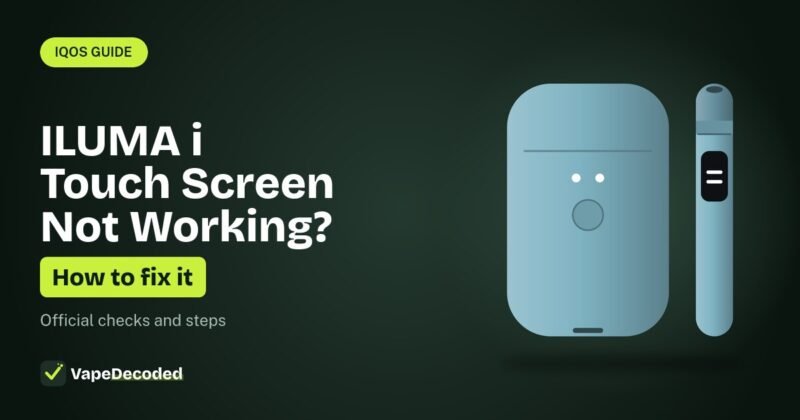
The IQOS ILUMA and ILUMA PRIME each have two parts:
- Pocket charger: the bigger part with the button on top. It charges the holder and shows battery lights.
- Holder: the slim part you put the TEREA stick into. Its round lights show how many uses are left.
ILUMA devices heat the stick with induction, so there is no heating blade inside the holder. IQOS UK says ILUMA devices "use bladeless induction heating and don't require internal cleaning like older IQOS models." Tobacco sticks are not included in the box, according to IQOS UK.
Step 1: Charge the pocket charger before first use
IQOS says to fully charge the device before you use it the first time. Use the cable that came with it and a compatible wall adaptor.
- IQOS Palestine and IQOS UAE give the full charge time as approximately 135 minutes.
- Charging the device turns it on automatically, says IQOS UK.
- If the battery is very low, the lights can take time to appear. IQOS UK says to wait up to 10 minutes "depending on your model." The ILUMA PRIME first steps page from IQOS UAE says it can take up to 20 minutes for a light pattern to appear if the battery is deeply drained.
To check the battery at any time, tap the pocket charger button once. On the ILUMA PRIME, IQOS UAE says three yellow flashes at the bottom of the light strip mean the charge is low.
If the lights never come on after charging, see our guide on IQOS ILUMA not charging.
Step 2: How to turn on an IQOS ILUMA
Press the button on top of the pocket charger for 4 seconds. The same press turns it off. IQOS UK says turning off the pocket charger also turns off the holder.
Next, check the round lights on the holder. IQOS explains them like this:
- 2 lights: the holder is fully charged and ready for 2 uses.
- 1 light: 1 use left. Charge the holder after this use.
- No lights: the holder needs charging in the pocket charger before you can use it.
Step 3: How to insert a TEREA stick in IQOS ILUMA
Take the holder out of the pocket charger. Use a fresh stick from a new, sealed pack. IQOS UK warns that "used or incompatible sticks won't activate the device."
- Gently push the tobacco end of the TEREA stick into the top of the holder.
- IQOS Palestine says to insert it "up to the line on the filter until the holder vibrates and light(s) pulse(s)."
The ILUMA family is made for TEREA sticks. HEETS (sold as Marlboro HeatSticks in the US) are made for blade devices like the IQOS 3 DUO, not for ILUMA.
Step 4: AutoStart and the heat-up signals
On the ILUMA and ILUMA PRIME, AutoStart starts heating as soon as you insert the stick. You do not need to press anything.
Here is what the holder tells you, according to IQOS's first steps pages:
- One vibration and slowly pulsing lights: the stick is heating up.
- Two vibrations and steady lights: it is ready. You can start taking puffs.
If AutoStart is turned off
If AutoStart is disabled, press the button on the holder to start heating. IQOS pages do not agree on how long to press. The IQOS South Africa ILUMA FAQ says 1 second in one answer and 2 seconds in another. A short press of 1 to 2 seconds covers both.
IQOS says features such as AutoStart can be turned on or off in the IQOS app. If AutoStart stops working and you did not change the setting, IQOS UK says the stick may be inserted wrong. A reset often helps too. See how to reset an IQOS ILUMA.
How long does an IQOS ILUMA session last?
IQOS South Africa's ILUMA and ILUMA PRIME product pages say a session "lasts up to 6 mins or 14 puffs, whichever comes first."
So if you puff quickly, the session ends at 14 puffs. If you puff slowly, it ends at 6 minutes. The heat-up time comes before this.
Check how much time is left: double tap
IQOS Egypt and IQOS UAE describe a double tap feature. Double tap the holder during use and it vibrates to show how much of the session is left:
- 3 vibrations: 75% to 50% left
- 2 vibrations: 50% to 25% left
- 1 vibration: less than 25% left
Step 5: End of session and removing the stick
Near the end, the holder vibrates twice again. IQOS says this means "your IQOS time is nearly up (30 sec or 2 puffs remaining)."
When the session ends:
- Pull the TEREA stick straight out of the holder.
- Throw it away. IQOS South Africa says to "dispose of the stick immediately after you've used it."
- Use a new stick for your next session. TEREA sticks are single use.
The official pages we checked do not describe a button to stop a session early. IQOS South Africa's guide only says to remove the stick.
How many times can you use an IQOS ILUMA holder before charging?
A fully charged holder gives 2 uses in a row. IQOS South Africa says the system "allows you to use your holder twice in a row without charging."
A full pocket charger gives about 20 uses. IQOS South Africa's ILUMA PRIME page says "20 uses on one full charge including 2 consecutive uses." The ILUMA page adds that "fewer uses are not unusual and do not necessarily mean the device is faulty."
Each light color and pattern is explained in our IQOS ILUMA lights meaning and IQOS ILUMA PRIME lights meaning guides.
Step 6: How to recharge the IQOS ILUMA holder
- Make sure the stick is out of the holder.
- Put the holder back into the pocket charger.
- The round lights pulse white while the holder charges.
- One or two solid lights show how many uses are ready.
Holder charging is quick. The IQOS South Africa and IQOS Palestine ILUMA FAQs give these times:
- About 1 minute 50 seconds for 1 use
- About 3 minutes 25 seconds to go from 1 use to 2 uses
- About 5 minutes 15 seconds to go from empty to 2 uses
- Up to about 10 minutes for the first charge out of the box
Charge the pocket charger every day with a compatible adaptor and cable, as IQOS suggests, so the holder always has power to draw from.
First-time tips
- Mind the temperature. IQOS Palestine says the holder works between 0°C (32°F) and 40°C (104°F). Outside that range, two white lights blink. Let it warm up or cool down, then try again.
- Do not reuse sticks. A used stick will not start the device.
- Keep the contacts clean. IQOS UK suggests wiping the holder and pocket charger contacts with a soft, dry cloth and gently blowing dust out of the USB port.
- ILUMA PRIME wrap. The PRIME has a wrap around the pocket charger. IQOS notes that wraps are not covered by the warranty.
When to get help
Contact IQOS support if the device will not heat a new TEREA stick after a full charge and a reset, if a red light keeps coming back, or if the device is damaged, very hot or smells burnt.
FAQs
How do I start my IQOS ILUMA?
Turn on the pocket charger by pressing its button for 4 seconds. Take out the holder and insert a TEREA stick up to the line on the filter. AutoStart begins heating. When you feel two vibrations and the lights stay on, it is ready.
How many puffs do you get on an IQOS ILUMA?
Up to 14 puffs or 6 minutes, whichever comes first, according to IQOS South Africa's ILUMA and ILUMA PRIME product pages.
Do I need to press a button to heat an ILUMA?
No, not if AutoStart is on. Heating starts when you insert the stick. If AutoStart is turned off, press the holder button briefly to start.
Can I use my ILUMA twice in a row?
Yes. A fully charged holder gives 2 consecutive uses. After that, put it back in the pocket charger. A full recharge from empty takes about 5 minutes 15 seconds, according to IQOS.
Is using the ILUMA PRIME different from the ILUMA?
No. IQOS gives the same steps for both: 4 seconds to turn on, insert TEREA, one vibration to heat, two vibrations when ready, and two more vibrations near the end.
Can I use HEETS in an IQOS ILUMA?
No. ILUMA devices are made for TEREA sticks. HEETS are for older blade devices like the IQOS 3 DUO.
Sources: IQOS UK: ILUMA guide, IQOS UK: Troubleshooting ILUMA, IQOS Palestine: First steps with IQOS ILUMA, IQOS Palestine: First steps with IQOS ILUMA PRIME, IQOS Palestine: ILUMA devices FAQ, IQOS UAE: ILUMA PRIME first steps, IQOS Egypt: First steps with ILUMA, IQOS South Africa: ILUMA guide, IQOS South Africa: ILUMA devices FAQ, IQOS South Africa: ILUMA kit, IQOS South Africa: ILUMA PRIME kit. Device illustrations are simplified. VapeDecoded is not affiliated with IQOS or Philip Morris International.
Same problem on another device? See can you refill a disposable vape.
Safety note: Our guides are for general information only. Stop using any device that gets hot, swells, smells like burning plastic or leaks from the battery. Read our disclaimer.
Image credits: Product images on this page belong to their respective brands and are used for identification and education only. If you own an image and want it removed or credited, send us a request and we will act on it within 48 hours.