IQOS ILUMA i Pause Mode Explained: How It Works and Its Limits

Quick answer
Pause Mode lets you stop a TEREA session for up to 8 minutes and then carry on with the same stick. It works only on the IQOS ILUMA i and ILUMA i PRIME. Turn on Performance Mode and Pause Mode in the IQOS app, then swipe down across the whole touch screen to pause and swipe up to resume. You can pause once, only in the first 3 minutes or 8 puffs, and only in one of your two back-to-back sessions. A paused session is capped at 14 puffs in total.
Everything below comes from official IQOS support pages. Where pages from different countries say slightly different things, we show what each one says.
What is Pause Mode on IQOS ILUMA i?
IQOS UK describes Pause Mode as a feature that "enables to pause your experience for up to 8 minutes, and resume it." In plain words: if you get a phone call or need to step away, you can stop the heating partway through a stick and start again later, instead of wasting the rest of it.
While the session is paused, the holder stops heating. When you resume, it heats the stick again and you carry on from where you stopped.
Which IQOS models have Pause Mode?
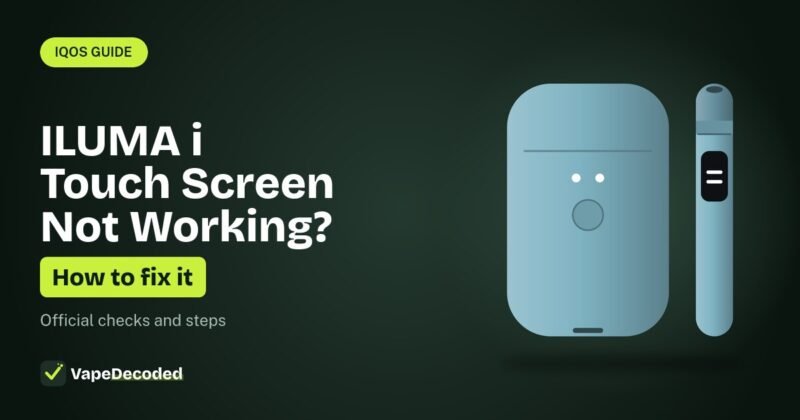
IQOS UK says Pause Mode is "available only for IQOS ILUMA i PRIME and IQOS ILUMA i devices." Both of these have a touch screen on the holder, and the touch screen is how you pause and resume.
- ILUMA i: yes.
- ILUMA i PRIME: yes.
- ILUMA i ONE: no. It is a one-piece device with no touch screen, and IQOS does not list it for Pause Mode.
- Older ILUMA, ILUMA PRIME and ILUMA ONE: no. Pause Mode is one of the features IQOS lists as new on the ILUMA i generation.
- IQOS 3 DUO and ORIGINALS devices: no. These use HEETS and have no touch screen.
How to turn on Pause Mode in the IQOS app
Pause Mode needs two settings switched on in the IQOS app. IQOS Egypt says Pause Mode "will not work unless both Pause Mode and Performance Mode are turned on in the IQOS app." IQOS UAE gives the same advice.
- Open the IQOS app on your phone and connect your ILUMA i or ILUMA i PRIME.
- Go to Settings > FlexBattery > Performance Mode and make sure Performance Mode is selected.
- Go to Settings > Pause Mode and switch it on.
Performance Mode is the default battery setting, according to IQOS UK. The other setting, Eco Mode, does not support Pause Mode. IQOS Egypt says plainly: "Pause Mode is not available in Eco Mode."
The IQOS app and its features are not offered in every country. If you cannot find these settings, check what the app supports where you live.
How to pause and resume: swipe down, swipe up
To pause
- Start your session as normal with a TEREA stick.
- Within the first 3 minutes or 8 puffs, swipe down across the entire touch screen.
- You will feel a vibration. IQOS says "a vibration will indicate when the pause starts."
While it is paused
IQOS says the lights on the touch screen fade out one by one, starting at the 12 o'clock position and moving counterclockwise. This works like a countdown timer. You get one more vibration when the pause is close to ending.
To resume
- Swipe up across the entire touch screen.
- Wait for the holder to heat up again. IQOS says this preheating takes about 20 seconds on average, and the touch screen shows a light completing its round.
- A vibration and a light tell you the holder is ready. Carry on with your session.
Swipe tips
The swipe has to be quick and cover the full screen. IQOS says "any movement slower than 0.5 seconds is not recognised as a swipe gesture." IQOS UAE adds that if the swipe does not cover the whole length of the screen, Pause Mode will not turn on. IQOS chose a full-screen swipe on purpose, so you do not pause by accident.
If one-handed swipes keep failing, hold the holder in one hand and swipe with the index finger of your other hand. IQOS suggests this too.
IQOS ILUMA i Pause Mode limits
Pause Mode has firm rules. Here is a quick reference, with the source for each limit.
| Limit | What IQOS says | Source |
|---|---|---|
| Models | ILUMA i and ILUMA i PRIME only | IQOS UK |
| App settings | Performance Mode and Pause Mode both on | IQOS Egypt, IQOS UAE |
| Battery mode | Performance Mode only, not Eco Mode | IQOS UK, IQOS Egypt |
| When you can pause | Within the first 3 minutes or 8 puffs | IQOS UK, IQOS UAE, IQOS Malta |
| How many times | Once per session | IQOS Egypt, IQOS UAE |
| Which session | One of the 2 back-to-back sessions in Performance Mode | IQOS UK, IQOS UAE |
| Longest pause | 8 minutes, then the holder switches off | IQOS UK, IQOS UAE |
| Puffs | 14 puffs in total, before and after the pause | IQOS UK |
| Preheat after resume | About 20 seconds | IQOS UK |
| FlexPuff | Does not turn on in a paused session | IQOS Philippines, IQOS UAE |
Once per session, early in the session
You get one pause per stick. IQOS Egypt says "Pause Mode is only available once during the experience." The pause also has to start early. IQOS UK says it works "during the first 3 minutes or 8 puffs of the experience." IQOS Malta adds: "If you try to activate the Pause Mode outside this range, it will not be available."
Only one of your two back-to-back sessions
In Performance Mode, a charged ILUMA i holder gives you back-to-back sessions. IQOS UAE says "Pause Mode can be used once in the first or second consecutive use in Performance Mode." IQOS Malta words it as one of the first two experiences "from a fully charged Holder." So if you paused in your first session, you cannot pause in the second one until the holder is recharged.
IQOS Malta also says that once you use Pause, the holder gives two back-to-back sessions, not three. For what the dashes on the screen mean, see our IQOS ILUMA i lights and screen signs guide.
8 minute maximum pause
The pause lasts up to 8 minutes. IQOS UK says: "If you do not re-activate your experience within 8 mins, the Holder will automatically switch off." The session then ends and that stick is done.
14 puffs in total and no FlexPuff
A paused session is capped at 14 puffs. IQOS UK says this includes "all puffs before and after the pause." FlexPuff, the feature that can add extra puffs, does not help here. IQOS Philippines says "FlexPuff does not activate when pause is used."
What does Pause Mode look like on the screen?
IQOS UAE and IQOS Malta both say Pause Mode is shown by 2 short vertical lines at the top of the touch screen. IQOS Egypt explains it a little differently: it says the 2 short lines mean Pause is available, and 4 vertical lines appear after you swipe down to pause. Either way, vertical lines at the top of the screen are a Pause Mode sign, not an error.
During the pause, the screen lights fade one by one in a counterclockwise circle until time runs out or you resume.
Why does my ILUMA i say Pause Mode is unavailable?
If the swipe does nothing, or the device will not pause, check these causes. All of them come from IQOS support pages.
- Pause Mode or Performance Mode is off in the app. Both must be on. Check Settings > FlexBattery and Settings > Pause Mode.
- You are in Eco Mode. Pause Mode does not work in Eco Mode. Switch to Performance Mode in the app.
- It is too late in the session. After 3 minutes or 8 puffs, Pause is no longer available for that stick.
- You already paused. You can pause once per session, and only in one of your two back-to-back sessions.
- The swipe was not recognized. It must cover the whole screen and take less than 0.5 seconds. A short or slow swipe does not count.
- Battery or charging issue. IQOS Egypt says "there may be a charging- or battery-related issue that affects Pause Mode availability." IQOS Malta mentions battery wear as a possible cause and says to contact IQOS. If your holder is not charging properly, see IQOS ILUMA not charging.
- Software issue. IQOS Egypt suggests a firmware update through the IQOS app or a device reset. Our guide on how to reset an IQOS ILUMA covers the steps for ILUMA i and ILUMA i PRIME.
When to contact IQOS
Contact IQOS support or visit an official IQOS store if:
- Both settings are on, you swipe correctly in the first 3 minutes, and Pause still never works.
- The touch screen does not respond to any swipe or tap.
- Pause stopped working after the device got older and the battery runs down faster than before.
Pause Mode is a convenience feature. If it does not work, your device can still heat TEREA sticks normally.
FAQs
How long can you pause an IQOS ILUMA i?
Up to 8 minutes. If you do not swipe up to resume in that time, the holder switches off and the session ends.
Can I pause more than once on the same stick?
No. IQOS says Pause Mode is available once per session, and only within the first 3 minutes or 8 puffs.
Does the ILUMA i ONE have Pause Mode?
No. IQOS lists Pause Mode only for the ILUMA i and ILUMA i PRIME. The ILUMA i ONE has no touch screen to swipe.
Do I lose puffs when I use Pause Mode?
A paused session is capped at 14 puffs, counting puffs before and after the pause. FlexPuff will not add extra puffs in that session.
Why does Pause Mode not work in Eco Mode?
IQOS says Pause Mode is only available in Performance Mode. Eco Mode is set up for a single use, so switch back to Performance Mode in the IQOS app if you want to pause.
Can I use HEETS in an ILUMA i?
No. ILUMA i devices are made for TEREA sticks only. HEETS (Marlboro HeatSticks in the US) are for IQOS 3 and ORIGINALS devices with a heating blade.
Sources: IQOS UK: What is Pause Mode feature of IQOS ILUMA i devices, IQOS UAE: What is Pause Mode on IQOS ILUMA i, IQOS UAE: Troubleshooting ILUMA i PRIME, IQOS Egypt: How to fix ILUMA i PRIME Pause Mode issues, IQOS Egypt: What is Pause Mode on ILUMA i PRIME, IQOS Philippines: What is Pause Mode on IQOS ILUMA i, IQOS Malta: Troubleshooting ILUMA i, IQOS Luxembourg: FAQs. Device illustrations are simplified. VapeDecoded is not affiliated with IQOS or Philip Morris International.
Safety note: Our guides are for general information only. Stop using any device that gets hot, swells, smells like burning plastic or leaks from the battery. Read our disclaimer.
Image credits: Product images on this page belong to their respective brands and are used for identification and education only. If you own an image and want it removed or credited, send us a request and we will act on it within 48 hours.