IQOS ORIGINALS DUO Lights Meaning: White, Red, Yellow and Reset Guide
Quick answer
On the IQOS ORIGINALS DUO, white lights mean normal use: charging, battery level or uses left. A blinking red light means a warning: a broken heating blade, a holder that is not getting enough charge, or a device that needs a reset. To reset, put the holder in the pocket charger and hold the pocket charger button for 10 seconds until the lights fade, then let go. IQOS does not list a yellow or orange light for the ORIGINALS DUO.
The IQOS ORIGINALS DUO has two parts, a holder and a pocket charger, and both use lights to talk to you. Every meaning below comes from IQOS's own support pages, and we name which one.
IQOS ORIGINALS DUO lights meaning: quick table
| Light you see | Where | What it means | What to do |
|---|---|---|---|
| Pulsing white rounded lights | Pocket charger | The holder is charging | Nothing. Let it charge. |
| 2 steady white rounded lights | Pocket charger (short press) | Holder ready for 2 back-to-back uses | Nothing. |
| 1 steady white rounded light | Pocket charger (short press) | Holder ready for 1 use | Nothing. |
| 4 white strip lights | Pocket charger (short press) | Pocket charger battery over 75% | Nothing. |
| 3 white strip lights | Pocket charger (short press) | Battery 50% to 75% | Nothing. |
| 2 white strip lights | Pocket charger (short press) | Battery 25% to 50% | Charge soon. |
| 1 white strip light | Pocket charger (short press) | Battery under 25% | Charge it. |
| 1 flashing white strip light | Pocket charger (short press) | Pocket charger is discharged | Charge with the official adaptor and cable. |
| 1 rapidly blinking white strip light | Pocket charger or holder | Outside operating temperature, or holder needs a full recharge | Move to room temperature. Let the holder fully charge. |
| Pulsing white | Holder | Preheating, or the session is about to end | Nothing. |
| No light | Holder (short press) | Holder has no charge | Put it in the pocket charger. |
| Blinking red rounded light | Pocket charger | Warning from the holder: broken blade, low charge or reset needed | Check the blade, then reset. |
| Blinking red strip light | Pocket charger | Warning about the pocket charger's own charge | Use the official adaptor and cable. Do not charge from a laptop. |
| Blinking red | Holder | Broken blade, low charge or reset needed | Check the blade, then reset. |
Is the IQOS ORIGINALS DUO the same as the IQOS 3 DUO?
Yes. IQOS says on its ORIGINALS FAQ page that "IQOS ORIGINALS DUO is the new name for IQOS 3 DUO." It comes in the same form, with new colors and accessories. So if you know the IQOS 3 DUO, the lights here will look familiar. Our IQOS 3 DUO lights meaning guide covers the older name and its support pages.
Where are the lights on an IQOS ORIGINALS DUO?
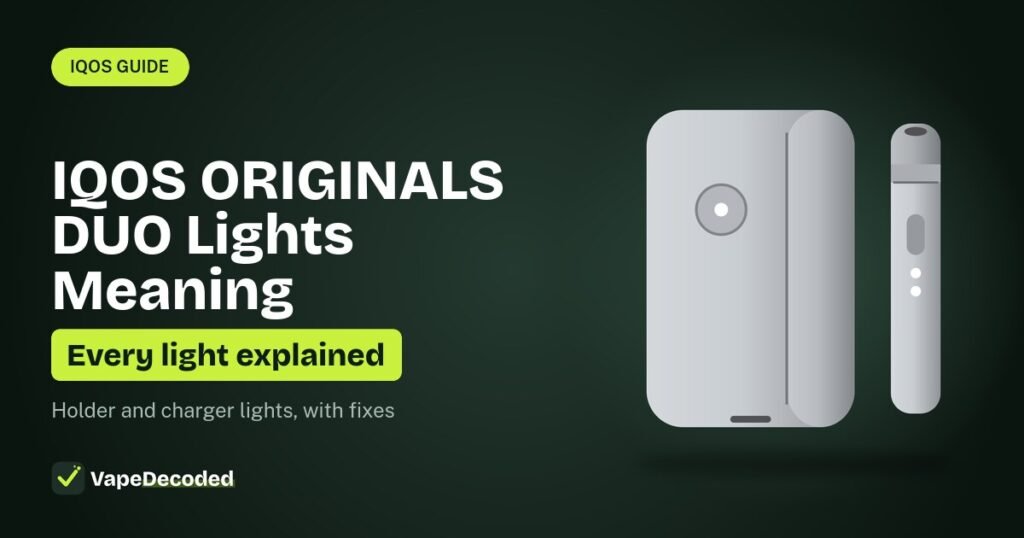
- Pocket charger: the case with the door and the button on the front. It has rounded lights that show the holder's status, and a strip of lights that shows the pocket charger's own battery.
- Holder: the slim pen you put the HEETS stick into. Its lights show uses left, preheating and holder errors. In the US, HEETS are sold as Marlboro HeatSticks.
Always check which light is on. IQOS gives a blinking red rounded light and a blinking red strip light different meanings.
IQOS ORIGINALS DUO white light meaning
IQOS says white lights show that the device is carrying out a normal operation. Red lights warn about an error. Here is what each white pattern means.
White lights on the pocket charger
- Pulsing white rounded lights: the holder is charging.
- Steady white rounded lights after a short press: 2 lights mean the holder is ready for 2 back-to-back uses. 1 light means 1 use.
- One flashing white strip light after a short press: the pocket charger is discharged. IQOS Philippines says to charge it with an official AC adaptor and cable.
White lights on the holder
- Pulsing white: the holder is preheating the stick, or your session is about to end.
- Steady white after a short press of the holder button: 2 lights mean 2 uses left. 1 light means 1 use left.
Rapidly blinking or pulsing white
This one is a warning, even though it is white. IQOS Philippines says one rapidly blinking white strip light means the device is outside its operating temperature range, or the holder needs a full recharge. IQOS UK says a pulsing white holder light can also mean self-cleaning is overdue. Self-cleaning runs on its own when the holder sits in the pocket charger, and it cannot run if the door is left open.
The temperature range is not the same on every IQOS page. IQOS UK, Philippines and Malaysia give 0°C to 50°C (32°F to 122°F). The IQOS ORIGINALS FAQ pages for Egypt and Palestine say to keep the device within 0°C to 40°C (32°F to 104°F). To be safe, keep it out of hot cars and direct sun, and warm it in your hands if it is cold.
Battery level on IQOS ORIGINALS DUO
To check the pocket charger battery, give the pocket charger button a short press and count the white strip lights. IQOS UK gives these levels:
- 4 lights: more than 75%
- 3 lights: 50% to 75%
- 2 lights: 25% to 50%
- 1 light: less than 25%
The holder works differently. It holds enough charge for 2 uses in a row, then goes back in the pocket charger. IQOS says a fully charged pocket charger gives up to 20 uses, and a full charge of the ORIGINALS DUO takes up to 120 minutes.
IQOS ORIGINALS DUO red light meaning
Red means a warning. Where the red light shows tells you what to check.
Blinking red light on the holder
IQOS UK says this can mean the holder's heating blade is broken. It can also mean the holder needs more charge from the pocket charger. Do this:
- Let the holder cool, take off the cap and look at the blade. If it is cracked or bent, stop using the holder and contact IQOS support.
- If the blade looks fine, put the holder back in the pocket charger to charge.
- If the light still blinks red, reset the device (steps below).
Blinking red rounded light on the pocket charger
IQOS UK says this is the holder warning about its charge. Common causes it lists:
- Charging with an unofficial adaptor or cable.
- Charging from a laptop.
- Dirty contacts between the holder and the pocket charger.
IQOS also reminds you that the holder's metal connector should sit at the bottom of the pocket charger. IQOS Philippines adds a broken blade or a needed reset as possible causes.
Blinking red strip light on the pocket charger
This means the pocket charger is warning about its own charge. IQOS UK says to use an official adaptor and cable and to avoid charging from a laptop.
Red light flashing on IQOS ORIGINALS after you charge
If you see red flashing after charging with the right cable, try a reset first. IQOS Malaysia lists "needs a reset" as one of the three causes of blinking red, next to a broken blade and low holder charge.
How to reset an IQOS ORIGINALS DUO
A reset fixes many red light problems. These are the steps from IQOS UK:
- Take the holder out, then put it back inside the pocket charger.
- Press and hold the pocket charger button for 10 seconds.
- Keep holding until all the lights dim out.
- Let go. All the lights briefly blink white. This confirms the reset.
IQOS UK's diagnostic page for the ORIGINALS DUO describes the confirmation slightly differently: it says all the lights blink 2 times. IQOS Malaysia notes that the same 10 second hold also turns on a device that is off.
IQOS ORIGINALS DUO shows no lights
If nothing lights up, check these in order. They come from IQOS Malaysia, Egypt and Palestine.
- Is the holder in the right way up? Insert it with the metal connector at the bottom of the pocket charger.
- Is the pocket charger empty? Plug it into a wall outlet with the original adaptor and cable. A deeply discharged pocket charger can take a while to show lights. IQOS Malaysia says up to 20 minutes. The Egypt and Palestine FAQ pages say up to 15 minutes, and that this is normal.
- Is the device off? With the holder inside, hold the pocket charger button for 10 seconds. This resets it and turns it on.
- Are the contacts dirty? Clean the contacts on the holder and the pocket charger so the holder can charge.
- Is it damaged? IQOS says not to charge a device with visible damage.
If the holder shows no light after a short press but the pocket charger works, the holder simply has no charge. Put it back in the pocket charger.
IQOS ORIGINALS DUO yellow light meaning
IQOS's ORIGINALS DUO light guides do not list a yellow or orange light. They only describe white and red. IQOS's FAQ mentions a yellow light only for the ORIGINALS ONE, where a yellow blink means the battery is low.
IQOS UK's troubleshooting page for the IQOS 3 DUO, the old name for the same device, says a yellow, green or brown color on your device means tobacco residue has reached it. IQOS says using its cleaning tools prevents this or helps fix it. We could not find an official ORIGINALS DUO page that confirms this, so treat it as a likely cause, not an official ORIGINALS DUO light code.
IQOS cleaning steps for the ORIGINALS DUO:
- Let the holder cool for at least 30 seconds after the last use.
- Take off the cap.
- Insert the cleaning tool without twisting, then turn it 3 times.
- Use an IQOS cleaning stick on the cap and the spots the tool cannot reach. Do not press hard or touch the heating blade.
- Clean the contacts on the holder and pocket charger too.
IQOS says to clean after every pack of sticks and to use only IQOS cleaning tools, not household products. IQOS Malaysia also says to replace the holder cap every 6 months.
When to get help
Stop using the device and contact IQOS support if:
- The heating blade is cracked, bent or loose.
- The red light keeps coming back after charging with official gear, cleaning and a reset.
- The device has visible damage.
IQOS also suggests checking for firmware updates and using its online diagnostic tool before you visit a store.
FAQs
Why is my IQOS ORIGINALS DUO blinking red?
IQOS lists three causes: a broken heating blade, a holder that is not getting enough charge, or a device that needs a reset. Check the blade, charge with the official adaptor and cable, then reset.
How do I reset my IQOS ORIGINALS DUO?
Put the holder in the pocket charger. Press and hold the pocket charger button for 10 seconds until all the lights dim, then let go. The lights blink white to confirm.
What does a white light mean on IQOS ORIGINALS DUO?
White means normal operation, like charging, battery level or uses left. One rapidly blinking white strip light is the exception: the device may be too hot or too cold, or the holder needs a full recharge.
Does the IQOS ORIGINALS DUO have a yellow light?
Not in IQOS's ORIGINALS DUO light guides. IQOS UK's IQOS 3 DUO page says yellow, green or brown means tobacco residue, so cleaning is the first thing to try.
How many times can I use the holder before charging?
Twice. Two white lights mean 2 uses left, one light means 1 use, and no light means it needs charging.
How do I check the battery level?
Short press the pocket charger button and count the white strip lights. Four lights is over 75%, one light is under 25%.
Sources: IQOS UK: IQOS device lights meaning, IQOS UK: IQOS ORIGINALS DUO diagnostic tool, IQOS Philippines: What do the lights on my IQOS mean, IQOS Malaysia: Troubleshoot your IQOS ORIGINALS DUO, IQOS Palestine: IQOS ORIGINALS DUO FAQs, IQOS Egypt: IQOS ORIGINALS FAQs, IQOS UK: Troubleshooting your IQOS 3 DUO. Device illustrations are simplified. VapeDecoded is not affiliated with IQOS or Philip Morris International.
Same problem on another device? See why vapes blink: light meanings for every brand.
Safety note: Our guides are for general information only. Stop using any device that gets hot, swells, smells like burning plastic or leaks from the battery. Read our disclaimer.
Image credits: Product images on this page belong to their respective brands and are used for identification and education only. If you own an image and want it removed or credited, send us a request and we will act on it within 48 hours.