What Is Pulse Mode on a Geek Bar? Regular vs Pulse Mode
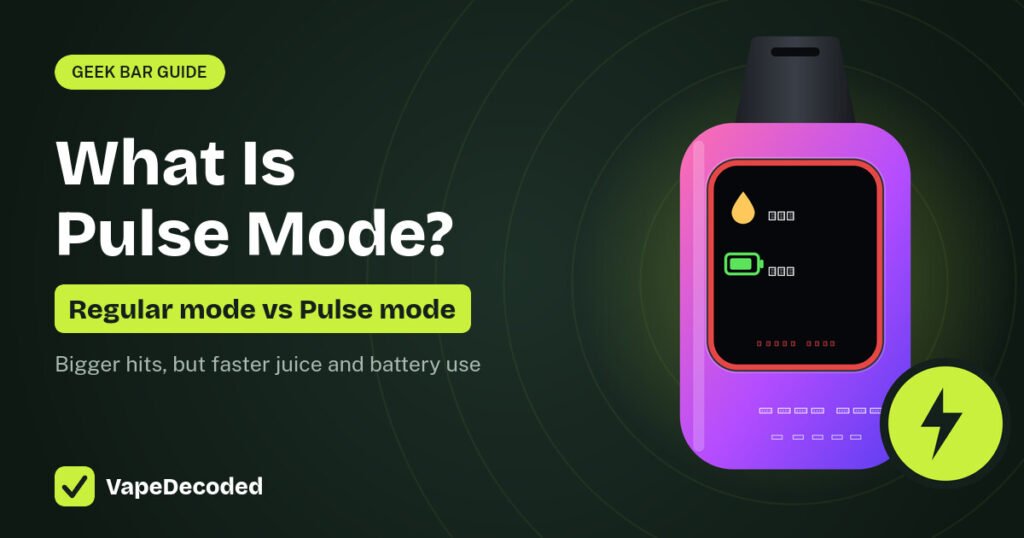
On a Geek Bar, "Pulse" is the stronger of the two vaping modes. You turn it on with the slider on the bottom of the device, and it gives a bigger, warmer hit but uses juice and battery faster, which is why Geek Bar rates it for about half the puffs of Regular mode.
Regular mode is the softer, longer-lasting setting. This guide explains the slider, the real power and airflow differences that reviewers found, what the rocket icon means, how the Pulse X "Super Boost" fits in, and when each mode makes sense.
Quick answer
- Pulse mode = higher power and more airflow. Bigger clouds, stronger throat hit, fewer total puffs.
- Regular mode = lower power and a tighter draw. Smoother hit, more puffs, longer battery life.
- The switch on the bottom has 3 positions: Close, Regular and Pulse.
- Geek Bar rates the Pulse at 15,000 puffs in Regular and 7,500 in Pulse. The Pulse X is rated 25,000 and 15,000.
- The e-liquid is 5% nicotine in both modes. Pulse mode does not change the strength of the liquid, but bigger puffs can deliver more nicotine per puff.
What does Pulse mean on a Geek Bar?
Pulse is the name of both a Geek Bar product line and a mode. The Geek Bar Pulse is a disposable vape with a full color screen, a 5% nicotine salt liquid and a dual mesh coil (2 small mesh heating parts that turn liquid into vapor). It has 2 vaping modes: Regular and Pulse.
Pulse mode sends more power to the coils and opens more air holes. Geek Bar's own product page lists "20W output" for the Pulse, and the Vaping360 review put Pulse mode at about 20 watts. More power heats more liquid per puff, so you get thicker vapor and a stronger hit.
Geek Bar's website lists only the puff ratings and marketing claims for each mode. The hands-on detail below comes from named independent reviews.
What are the modes on a Geek Bar Pulse?
The bottom of the Geek Bar Pulse has a small slide switch next to the USB-C charging port. It has 3 positions, and it clicks into each one.
| Switch position | What it does |
|---|---|
| Close | Turns the device off. Reviewers describe it as an off or lock setting, so it will not fire in a pocket or bag. |
| Regular | Lower power and a tighter draw. Rated for the most puffs. |
| Pulse | Higher power and a looser draw. Rated for about half the puffs. |
There is no fire button. In both Regular and Pulse, the device turns on when you inhale. The mode only changes how much power the coils get and how much air comes in.
How do you put a Geek Bar in Pulse mode?
Switching modes is simple and does not need a reset.
Find the switch on the bottom
Turn the device over. The slider sits next to the USB-C port. Close is the off position at one end.
Slide it 2 clicks for Pulse
The first click puts it in Regular mode. Slide one more click to reach Pulse mode. The screen changes to show the new mode.
Check the screen
On the original Pulse, the Vaping360 review says Pulse mode shows a rocket icon with a red light running around the edge of the screen. Regular mode shows a dashed circle with a green light.
Slide back to Regular or Close when done
You can switch between modes at any time. Slide all the way back to Close before you put it away.
What is the difference between Regular and Pulse mode?
The table below puts the brand ratings and the review findings side by side. Puff counts are Geek Bar's lab ratings, not a promise of what you will get.
| Feature | Regular mode | Pulse mode |
|---|---|---|
| Power | Lower. Geek Bar does not publish a number (see below) | About 20W (Geek Bar page and Vaping360) |
| Air holes | 2 open | 3 open |
| Draw feel | Loose mouth-to-lung (MTL) | Restricted lung hit (RDL) |
| Pulse puff rating | 15,000 | 7,500 |
| Pulse X puff rating | 25,000 | 15,000 |
| Juice and battery use | Slower | Faster |
| Screen (original Pulse) | Dashed circle, green light | Rocket icon, red light |
MTL means you pull vapor into your mouth first, like a cigarette. RDL (restricted direct-to-lung) means you breathe it more straight into your lungs, with some resistance.
Wattage: what we could and could not confirm
Pulse mode at about 20W is well supported. Geek Bar lists "20W output," and Vaping360 reviewer Jeremy Mann put Pulse mode at about 20 watts.
The Regular mode number is less clear. Geek Bar does not publish it. One review site lists 11W and one retailer guide says about 10W, but neither shows a test, so we could not confirm an exact figure. The safe summary: Regular runs at a clearly lower power than Pulse.
Airflow: why the draw feels different
The slider controls air and power together. Reviews of the Pulse family say Regular leaves 2 air holes open and Pulse opens a third hole. Versed Vaper found the same 2 and 3 hole setup on the Pulse X, the Pulse 2 and the Pulse X 2.
So you cannot set the airflow on its own, which several reviewers list as a downside. More air always comes with more power.
Do the coils work differently in Pulse mode?
Geek Bar says its dual core chip heats the 2 mesh coils "in alternating fashion" to keep flavor steady on low battery. Some retailer blogs claim Pulse mode fires both coils at the same time. Geek Bar does not say this, so we could not confirm it.
Does Pulse mode use more juice and battery?
Yes. More power vaporizes more liquid per puff, and the tank stays the same size. That is why the puff rating drops by about half in Pulse mode.
Reviewers saw this in daily use. On the original Pulse (16 mL of liquid, 650 mAh battery), Vaping360's reviewer said you can go through about 20% of the juice in a couple of hours in Pulse mode. In Regular mode, the battery lasted "a good half of a day with moderate vaping."
The newer models show the same pattern. Versed Vaper got about 4 days on the Pulse X 2 in Regular only, about 3 days with mixed use, and 2 days or less in Pulse only. Vaping360 said Pulse mode "significantly reduces" runtime on the Pulse 2.
Tip: The screen shows battery and e-liquid as percentages. If you use Pulse mode a lot, check both more often, and charge before the battery runs very low. See our guide on how many puffs a Geek Bar really has for real-world numbers.
Is Pulse mode stronger? Does it have more nicotine?
The liquid is the same in both modes: 5% nicotine, which is 50 mg per mL. Switching to Pulse does not make the liquid stronger.
But Pulse mode heats more liquid per puff. Lab research shows that higher power can raise the nicotine in each puff. In a study in Nicotine & Tobacco Research, Talih and colleagues found that raising device voltage increased nicotine yield in every condition they tested. That study did not test Geek Bar devices, but the principle is the same.
So a Pulse mode puff can feel stronger, and it can deliver more nicotine than a Regular puff of the same length. The Vaping360 reviewer warned that a big restricted lung hit at 5% "might be a lot to handle" for someone used to softer draws. For the full mg breakdown, read how much nicotine is in a Geek Bar.
What does the rocket icon mean on a Geek Bar?
On the original Geek Bar Pulse, the rocket icon means Pulse mode is on. It appears in the middle of the screen when you draw. Regular mode shows a dashed circle instead.
Newer models use other graphics, so do not expect a rocket on every Geek Bar:
- Pulse X: stars in Regular mode. In Pulse mode, the stars join into a constellation and an X appears in the center circle (Versed Vaper).
- Pulse 2: green lights in Regular and orange lights in Pulse, with a planet graphic. Pulse mode adds stars or a black hole graphic.
- Pulse X 2: green light bars in Normal mode and orange in Pulse mode, with a planet that lights up in Pulse.
Some newer models label Regular as "Normal." It is the same setting.
What is Pulse X Super Boost?
The Geek Bar Pulse X has the same 2 modes, but bigger numbers. Geek Bar rates it at 25,000 puffs in Regular and 15,000 in Pulse, with 18 mL of 5% liquid. Versed Vaper lists an 820 mAh battery.

"PULSE Power, Super Boost" is how Geek Bar markets this upgrade. The product page says taste lasts longer in Regular mode and the "explosiveness of PULSE mode is significantly improved." It also lists "VPU Inside" and "AI Power Adjustment," which it says finds "the optimal balance of airflow and power."
Geek Bar does not give wattage numbers for Super Boost, and the page does not define VPU. A retailer blog claims about 20W in Regular and 25W in Pulse on the Pulse X, but we could not confirm this from Geek Bar or a hands-on review. In practice, Super Boost is a brand name for the Pulse X's stronger Pulse mode, not a third setting on the switch.
Is there a DTL mode on a Geek Bar?
Not on the standard Pulse or Pulse X. In August 2025, the trade site 2Firsts reported that Pulse X DTL models with MTL and DTL (direct-to-lung) switching and up to 40W were listed as "coming soon" by a US distributor. They were not on Geek Bar's official site then, and we could not confirm a US launch.
When should you use Regular or Pulse mode?
| Situation | Better mode | Why |
|---|---|---|
| You want the device to last longer | Regular | Rated for about twice the puffs |
| You want a softer, cooler hit | Regular | Lower power, tighter draw |
| Battery is getting low | Regular | Uses less power per puff |
| Flavor tastes weak and the tank is not near empty | Pulse, briefly | More heat can bring out more flavor |
| Putting it in a pocket, bag or luggage | Close | Stops it from firing by accident |
Vaping360's reviewer advised against staying in Pulse mode all the time because it drains the device so fast.
Avoid Pulse mode near empty. When the e-liquid reads close to 0%, the wick can dry out. More power on a dry wick gives a burnt taste and heats the coil harder. If hits taste burnt, switch to Regular, take slower puffs, and replace the device once it is empty.
Can Pulse mode damage a Geek Bar?
Pulse mode is a normal, rated setting, so using it is not misuse. The main costs are a shorter life and faster battery drain.
What can cause problems is how people use it: very long draws, chain vaping without breaks, or pulling hard when the liquid is almost gone. These can overheat the coil and burn the wick. Never open the device or try to change the power or refill it. The sealed battery and nicotine liquid can cause burns, fire or nicotine exposure. Our guide on opening a Geek Bar Pulse explains those risks.
For adults 21+ only. Every Geek Bar contains nicotine, which is addictive in both modes. The CDC says e-cigarette aerosol can contain harmful chemicals and that nicotine harms brain development, which continues until about age 25. Geek Bar is not FDA authorized as of October 2026 (see is Geek Bar banned). If you want to quit, free help is at Smokefree.gov or 1-800-QUIT-NOW.
FAQs
What does "Close" mean on a Geek Bar?
Close is the off position on the bottom switch. The device will not fire, which helps stop accidental puffs in a pocket or bag.
Is Pulse mode better than Regular?
Neither is better. Pulse gives bigger, stronger hits. Regular gives more puffs, longer battery life and a smoother draw.
Why is my Geek Bar stuck in Pulse mode?
Check that the slider clicked fully into the Regular position. If it sits between positions, the screen may not change. Slide it to Close, wait a few seconds, then back to Regular.
Does switching modes change the flavor?
The liquid is the same, but more heat in Pulse mode often makes the flavor feel stronger. Some reviewers say certain flavors taste better in Pulse mode.
Do all Geek Bars have Pulse mode?
No. The Pulse, Pulse X, Pulse 2 and Pulse X 2 have it. Older and simpler Geek Bar models do not have a mode switch.
Why did my Geek Bar run out before the rated puffs?
Pulse mode, long draws and heavy use all cut the real puff count. The ratings come from lab tests with short, even puffs.
The bottom line
Pulse mode on a Geek Bar is the high-power setting, about 20W on the original Pulse, with a third air hole open and a rocket icon on screen. It gives a stronger hit but cuts the rated puffs about in half and drains juice and battery faster. Regular mode is the lower-power, longer-lasting choice, and Close turns the device off. The nicotine strength of the liquid stays at 5% in every mode.
Related Geek Bar guides
Sources: Geek Bar: Pulse, Geek Bar: Pulse X, Vaping360 Geek Bar Pulse review, Vaping360 Pulse 2 review, Versed Vaper Pulse X review, Versed Vaper Pulse 2 review, Versed Vaper Pulse X 2 review, 2Firsts (Pulse X DTL report), Talih et al., Nicotine & Tobacco Research, CDC: Health Effects of Vaping, FDA warning letters (Geek Bar). VapeDecoded is not affiliated with Geek Bar.
Safety note: Our guides are for general information only. Stop using any device that gets hot, swells, smells like burning plastic or leaks from the battery. Read our disclaimer.
Image credits: Product images on this page belong to their respective brands and are used for identification and education only. If you own an image and want it removed or credited, send us a request and we will act on it within 48 hours.