Why Is My Geek Bar Blinking or Flashing Red?
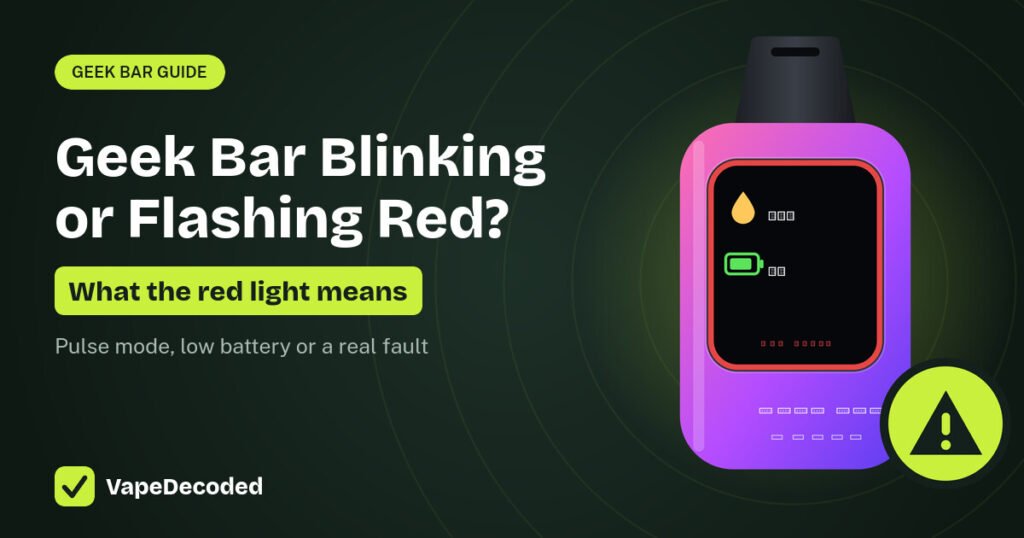
If your Geek Bar shows a red light when you hit it, it may simply be in Pulse mode: on the original Geek Bar Pulse, Pulse mode lights up red around the screen and Regular mode lights up green. If it is flashing and not hitting, the most common causes are a low battery or an empty tank, so check the battery and e-liquid numbers on the screen first.
Less often, flashing points to a wet sensor, a safety cutoff, a charging problem, or a faulty device. Geek Bar does not publish a guide to its light signals, so we mark what is confirmed and what is only reported by users.
Quick answer
- Red light that runs around the screen when you hit it (original Pulse): this is Pulse mode. It is normal.
- Battery icon or number flashing: the battery is low. Charge it with a USB-C cable.
- E-liquid icon flashing or showing 0%: the tank is empty. Charging will not fix it.
- Flashing on every puff but battery and e-liquid look fine: slide the switch to Close, wipe the mouthpiece, wait 15 seconds, then switch back.
- Flashing after a long or hard pull, or the device feels warm: let it rest 10 to 15 minutes and take shorter puffs.
- Hot, swollen, hissing or smells burnt: stop using and charging it.
What do the lights on a Geek Bar Pulse mean?
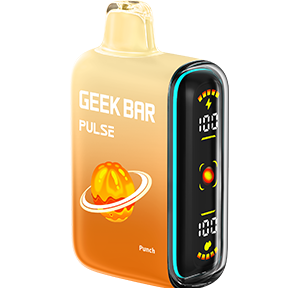
The Geek Bar Pulse has a full color screen instead of a single LED light. Geek Bar says the screen shows your battery and e-juice levels and plays "cosmic-style animations" while you vape and while it charges. It wakes up when you inhale and turns off a few seconds after the puff.
The Vaping360 review of the original Pulse describes the 2 icons: a lightning bolt for battery and a droplet for e-liquid, each with a percentage. It also explains the mode colors:
- Regular mode: a dashed circle in the middle with a green light moving around the edge.
- Pulse mode: a rocket icon with a red light moving around the edge of the screen.
Pulse mode is the stronger setting and drains the battery and e-liquid faster. You pick the mode with the 3-position switch on the bottom (Close, Regular, Pulse). Our guide to Regular vs Pulse mode on a Geek Bar explains the difference in detail.
Do newer models light up red too?
Not in the reviews we found. Vaping360 says the Pulse 2 shows green lights in Regular and orange in Pulse. Versed Vaper says the Pulse X 2 has light bars that are green in Regular and orange in Pulse. The original Pulse X shows a starry screen, with an X inside the center circle in Pulse mode. So if your device is a newer model and shows red, it is worth reading the rest of this guide.
Why is my Geek Bar flashing red? Signs, causes and fixes
Match what you see to this table. Geek Bar's product pages, FAQ and warranty page do not explain flashing lights or error signals (checked October 2026), so the last column shows where each meaning comes from.
| What you see | Likely cause | Fix | Source of this meaning |
|---|---|---|---|
| Red light moving around the screen edge on every puff, rocket icon (original Pulse) | Pulse mode | Nothing is wrong. Slide to Regular if you want green and a lighter hit | Vaping360 review |
| Orange lights on a Pulse 2 or Pulse X 2 | Pulse mode | Nothing is wrong | Vaping360 and Versed Vaper reviews |
| Lightning bolt icon or battery number flashing, low percentage | Low battery | Charge with a USB-C cable | User reports and retailer guides, not Geek Bar |
| Droplet icon flashing, or e-liquid at 0% | Empty tank | The device is used up. Dispose of it | User reports, not Geek Bar |
| Screen animates when plugged in | Normal charging display | Unplug at 100% | Geek Bar (charging animations) |
| Flashes when plugged in but the battery number does not rise | Bad cable, weak power source or dirty port | Try another cable and power source | General charging advice, not Geek Bar |
| Flashes on every puff, no vapor, battery and e-liquid look fine | Liquid on the sensor, a short, or a glitch | Close, wipe, wait 15 seconds, switch back | Common user fix, not Geek Bar |
| Stops and flashes in the middle of a long pull | Possible puff time cutoff | Take shorter puffs | Common in disposable vapes, not confirmed for Geek Bar |
| Flashes after many puffs in a row, device feels warm | Possible heat protection | Rest it 10 to 15 minutes | Common in disposable vapes, not confirmed for Geek Bar |
| Keeps flashing and nothing above works | Faulty or fake device | Return to the store within 14 days | Geek Bar warranty page |
Why is my Geek Bar blinking and not hitting?
Low battery and an empty tank cause most cases. The screen can light up even when the battery is too low to heat the coils.
Check the battery number
Look at the lightning bolt reading. If it is low or flashing, plug in a USB-C cable on a hard, flat surface. Vaping360 measured about 55 minutes for a full charge on the original Pulse. Geek Bar does not include a cable in the box. Our guide on how to charge a Geek Bar has charge times for each model.
Some models give little warning. Vaping360 got about 25 puffs from a Pulse 2 after the battery read 0%, so the hit can stop suddenly.
Check the e-liquid number
If the droplet reads 0% or flashes, the tank is likely empty. Charging only refills the battery, not the liquid. A Geek Bar is a sealed disposable, so the e-liquid cannot be refilled. Hitting it anyway heats a dry wick, which tastes burnt and is harsh on your throat. Our guide to a Geek Bar on 0 explains why it may still fire for a while.
Check the bottom switch
If the switch sits between 2 positions, the device may act oddly. Slide it fully to Close, then click it firmly into Regular.
Why is my Geek Bar blinking red but not dead?
If the battery shows a charge and the e-liquid is above 0%, but the screen still flashes and no vapor comes out, the cause is usually something blocking or confusing the device. Here are the likely causes, starting with the most common.
Liquid or condensation near the sensor
A Geek Bar has no fire button. An airflow sensor turns on the coils when you inhale. Vapor can cool and turn back into liquid inside the mouthpiece or near the air holes, and liquid near the sensor can stop it from firing. Signs include gurgling, spitting or a tight draw.
Slide the switch to Close, wipe the mouthpiece with a dry tissue, and gently tap the device mouthpiece down on a paper towel. Check the bottom air holes for lint. Do not push pins or needles into the holes.
Short protection
Many vapes have short circuit protection, a safety feature that cuts power when the circuit detects a fault, such as a damaged coil or liquid in the wrong place. These devices often flash and refuse to fire. Geek Bar does not publish its protection features, so we could not confirm how a Geek Bar shows a short.
A minor glitch
The common user fix is a power cycle: slide the switch to Close, wait about 15 seconds, then slide it back to Regular. Geek Bar does not publish an official reset method. Our full guide on why a Geek Bar is not hitting has more fixes, including cold weather and draw technique.
Why does my Geek Bar flash when I hit it?
A light on every puff is normal. The screen is built to wake up and animate each time you inhale. On the original Pulse, that light is red in Pulse mode, which is why many people think something is wrong.
A flash that cuts the puff short is different. Here are 2 possible reasons.
Long draw cutoff. Many disposable vapes stop heating after a set number of seconds to protect the coil and battery. Geek Bar does not state a puff time limit for the Pulse, so we could not confirm one. If yours stops in the middle of long pulls, take shorter puffs of 2 to 3 seconds.
Overheating. Many puffs in a row, Pulse mode, or a hot car can make the device warm. Some vapes cut power when they get too hot. Let it rest unplugged for 10 to 15 minutes. The FDA advises keeping vapes out of direct sunlight and out of hot or freezing cars.
Stop using it if it gets hot to hold, swells, smokes, hisses or smells like burning plastic. These are signs of a damaged lithium battery. Slide the switch to Close, set it on a hard surface away from anything that burns, and do not charge it again. You can report vape fires or overheating to the FDA through its Safety Reporting Portal.
Why is my Geek Bar flashing red 3, 5 or 8 times?
We could not find any Geek Bar source that explains flash counts. Some vape brands use a set number of flashes as a code, for example for low battery or a short. But those codes differ from brand to brand, and Geek Bar has not published one for the Pulse or Pulse X as of October 2026.
So do not trust a flash chart made for another brand. Instead, read the screen. Check the battery number, the e-liquid number and the mode icon, then work through the table above.
Why is my Geek Bar flashing while charging?
Usually this is normal. Geek Bar says the Pulse screen plays animations during charging, and Vaping360 reports the battery percentage climbs while it is plugged in. The problem is when it flashes but the number does not go up.
- Try a different USB-C cable and a different power source, such as a computer port.
- Clear lint from the port. Do not put metal tools inside.
- If the device got wet, do not charge it. The FDA says to replace a vape battery that gets damaged or wet.
- Do not leave it charging overnight. The FDA advises against this for all vapes.
Why is my brand new Geek Bar flashing red?
First check that it is not just Pulse mode. A new device may also have a low battery after time on a store shelf, so charge it once. If a charged, full device still flashes and will not fire, it may be faulty or fake.
Geek Bar lets you check the scratch-off code on the box at geekbar.com. If the site says the code was already checked the first time you enter it, Geek Bar says the product is probably fake. See our guide on where to buy Geek Bar and how to avoid fakes for other warning signs.
When is a flashing Geek Bar done?
It is time to stop using it when the e-liquid reads 0% and puffs taste burnt, when it will not charge with 2 different cables and power sources, or when it shows any sign of battery damage.
Geek Bar's warranty page lists a 14-day quality warranty from the date of purchase. Claims go through the store where you bought it, and you need a receipt and the authentic code from the box. Geek Bar also says, "Since it is a disposable product, we do not accept returns or replacement," so the store decides.
Do not open the device to fix it. Prying the shell can damage the lithium battery and spill high-strength nicotine liquid, as our guide on opening a Geek Bar Pulse explains. Take a dead device to a battery or household hazardous waste drop-off, not the trash.
For adults 21+ only. Every Geek Bar contains nicotine, which is addictive. As of October 2026, Geek Bar does not claim an FDA marketing order, and no Geek Bar product is on the FDA's list of authorized e-cigarettes. If a dead device feels like a good time to cut back, free help is at Smokefree.gov or 1-800-QUIT-NOW.
FAQs
Does red mean my Geek Bar is broken?
Not on its own. On the original Pulse, a red light around the screen during a puff is Pulse mode. It only points to a problem if the device also will not hit.
Can I turn off the lights on a Geek Bar Pulse?
No. Vaping360 reports the screen lights cannot be turned off. The screen goes dark a few seconds after each puff.
Is there a Code Red Geek Bar flavor?
We did not find a flavor called Code Red, or any flavor with "Red" in the name, on Geek Bar's Pulse or Pulse X pages as of October 2026. A red-looking device is a colorway, not a flavor signal.
Why is my Geek Bar Pulse X flashing?
The Pulse X has a starry, animated screen that lights up on every puff, which is normal. If it flashes and will not hit, use the same checks: battery, e-liquid, switch, then the Close and wait reset.
Why does my Geek Bar keep flashing after I stop hitting it?
The screen normally turns off a few seconds after a puff. If it stays lit, flashes or hisses with no one using it, it may be auto-firing. Slide the switch to Close, let it cool on a hard surface, and stop using it if it keeps heating.
The bottom line
A red light on an original Geek Bar Pulse during a puff is usually Pulse mode, not an error. If it flashes and will not hit, check the battery number first, then the e-liquid number, then try the Close, wait 15 seconds and switch back reset. Geek Bar does not publish light codes, so trust the numbers on the screen over flash charts, and stop using any device that gets hot or swells.
Related Geek Bar guides
Sources: Geek Bar: Pulse, Geek Bar: Pulse X, Geek Bar FAQ, Geek Bar warranty, Geek Bar product verification, Vaping360 Geek Bar Pulse review, Vaping360 Pulse 2 review, Versed Vaper Pulse X review, Versed Vaper Pulse X 2 review, FDA: Tips to Help Avoid Vape Battery Fires or Explosions, FDA authorized e-cigarette list (May 2026). VapeDecoded is not affiliated with Geek Bar.
Same problem on another device? See why vapes blink: light meanings for every brand.
Safety note: Our guides are for general information only. Stop using any device that gets hot, swells, smells like burning plastic or leaks from the battery. Read our disclaimer.
Image credits: Product images on this page belong to their respective brands and are used for identification and education only. If you own an image and want it removed or credited, send us a request and we will act on it within 48 hours.