How to Use a Foger Vape: Simple Beginner Guide
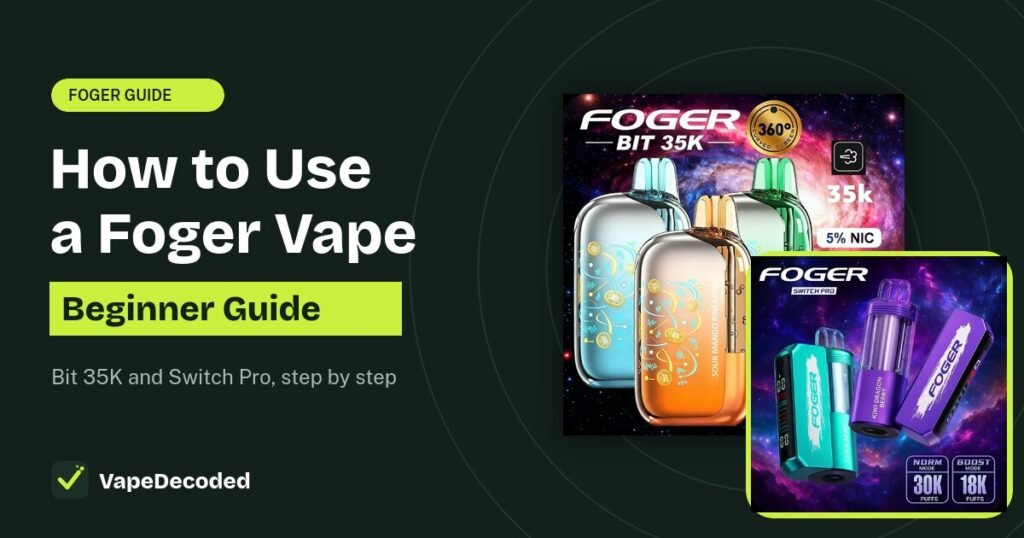
A Foger vape has no power button. You take the cap off the mouthpiece and inhale, and it turns on by itself. That is the whole trick. This guide shows you every step for both Foger models sold in the US, the Foger Bit 35K and the Foger Switch Pro, with short animations so you can see exactly what to do.
Quick answer
- Pull the silicone cap off the mouthpiece.
- Inhale slowly. The vape fires on its own when you draw. There is no fire button.
- Use the side button only to switch between Normal and Boost mode.
- Move the airflow slider for a tighter or looser pull.
- Charge with any USB-C cable when the battery number gets low.
First, which Foger do you have?
The Bit 35K is one sealed piece with a clear tank and a small screen on the front. The Switch Pro comes in two parts: a battery base with a screen, and a clear pod that snaps on with magnets. Both are draw-activated and both use 5% (50 mg/mL) nicotine. If you are not sure, our Foger charging guide has a side-by-side picture of both.
How to use a Foger Bit 35K
Take off the silicone cap
Every new Bit 35K has a soft silicone cap on the mouthpiece. Pull it off. If you leave it on, the vape will not hit at all. Foger's authorized US retailer says the device ships charged and pre-filled, so you can use it right away.
Keep the cap. Putting it back on stops the vape from firing by accident in your pocket or bag.
Inhale slowly
Put your lips around the mouthpiece and take a slow, steady draw for 2 to 3 seconds. The Bit 35K senses the airflow and fires by itself. The screen wakes up and shows the battery level, then goes dark again a few seconds after you stop. That is normal. It is saving battery, not turning off.
Pick Normal or Boost mode
The small button on the side does not turn the vape on or off. It switches the power mode:
- Normal (Eco) mode: the default. Smoother hits and the most puffs, rated up to 35,000.
- Boost mode: warmer, thicker vapor and a stronger throat hit, rated around 25,000 puffs.
Press the button once for Boost. A small Bitcoin coin icon shows up on the screen. Press again and the coin goes away, which means you are back in Normal mode. That coin is where the "Bitcoin vape" nickname comes from.
New to vaping? Start in Normal mode. All Foger devices are 5% nicotine, which is strong. Here is how much nicotine is in a Foger vape. Boost makes each puff harsher and uses up the juice faster.
Set the airflow
The Bit 35K has an airflow slider on the body. It has no clicks, so you can stop anywhere between the two ends.
- Slide it tighter for a pull that feels more like a cigarette. You get less vapor per puff and the juice lasts longer.
- Slide it open for a looser, airier pull with bigger clouds. This uses juice faster.
If the slider is closed all the way, you may get no vapor at all. Move it to the middle and try again.
Charge it when the number gets low
Plug any USB-C cable into the port on the bottom. The battery number climbs while it charges, and a full charge takes about 45 minutes. See our full Foger charging guide for every detail.
Know when it is empty
The Bit 35K screen shows battery only. There is no juice gauge. When the flavor fades and the vapor gets thin but the battery still reads fine, the tank is used up. The Bit 35K cannot be refilled, so it is time for a new one. See how long a Foger vape lasts for tips to stretch the next one.
How to use a Foger Switch Pro
The Switch Pro works the same way once it is put together. The only extra steps are snapping on the pod and swapping it when it runs out.
Snap the pod onto the base
Take the battery base and the pre-filled pod out of the box. Line up the pod with the base and push them together. Strong magnets pull it into place, and you will feel it click. A loose pod is the most common reason a new Switch Pro will not hit.
Remove the cap and inhale
Pull the cap off the pod's mouthpiece and take a slow draw. Just like the Bit 35K, the Switch Pro is draw-activated. The screen on the base lights up while you vape.
Switch between Normal and Boost
Press the button on the base to change modes. The screen shows which mode is on.
- Normal: smoother hits, rated up to 30,000 puffs.
- Boost: more vapor and flavor, rated around 18,000 puffs.
Adjust the airflow
The airflow slider is on the bottom of the pod. It has two holes, one larger and one smaller. The larger hole gives an airy, loose draw. The smaller hole gives a tighter, cigarette-like draw. Slide it to the one you like. We explain it in detail in what the switch on the bottom of a Foger does.
Swap the pod when it runs out
When the flavor fades, pull the old pod straight off the base and snap a new one on. You keep the same battery base and only buy new pods. You do not pour in juice. The pod is the refill. Browse the best Foger flavors to pick your next pod.
Good to know: the Switch Pro pod has its own small 200mAh battery, so it can run for a short time off the base. That helps while the base is charging. Read more in our charging guide.
How to take a good puff
If you are switching from cigarettes, the way you inhale makes a big difference.
- Mouth to lung (MTL): draw the vapor into your mouth for 2 to 3 seconds, then breathe it in. This feels most like a cigarette. Use a tighter airflow for this.
- Direct to lung (DTL): breathe the vapor straight into your lungs in one breath. With 5% nicotine this can feel harsh, so most people stick with MTL on a Foger.
- Go slow. Gentle, steady draws give better flavor than hard, fast pulls.
- Take breaks. Wait a few seconds between puffs so the coil can soak up more juice. Puffing nonstop is the top cause of a burnt taste.
Nicotine warning: all Foger devices are 5% nicotine. Nicotine is addictive. If you do not already smoke or vape, do not start. If you feel dizzy, sick or your heart races, stop and take a break.
7 beginner mistakes to avoid
- Leaving the silicone cap on. No air can get in, so it will not fire.
- Pressing the button to make it hit. The button only changes modes. Just inhale.
- Using Boost all the time. It burns through juice and battery faster and feels harsher.
- Chain vaping. Puff after puff with no break dries out the coil and causes burnt hits.
- Closing the airflow all the way. Too little air can mean little or no vapor.
- Leaving it in a hot car. Heat is bad for the battery and can cause leaks.
- Trying to refill a Bit 35K. It is sealed and not refillable. Only the Switch Pro uses new pods.
What the screen shows
| Screen detail | Foger Bit 35K | Foger Switch Pro |
|---|---|---|
| Battery percentage | Yes | Yes (base battery only) |
| Mode shown | Bitcoin coin icon = Boost | Normal or Boost on screen |
| Juice level | No | No (the clear pod lets you see the juice) |
| Charging sign | Battery number climbs | Green lightning bolt |
FAQs
Does a Foger vape have an on and off button?
No. Both Foger models are draw-activated. They turn on when you inhale and go to sleep when you stop. The side button only changes the power mode.
How do I turn off my Foger vape?
You do not need to. It is only active while you draw. To stop it from firing in your pocket, put the silicone cap back on the mouthpiece. More in how to turn a Foger vape on and off.
Why is my new Foger not hitting?
Check these first: the silicone cap is off, the airflow slider is not fully closed, the battery is not at 0%, and on a Switch Pro the pod is clicked fully onto the base. Our Foger not hitting guide has 8 more fixes.
Which mode is best for beginners?
Normal mode. It is smoother, gives you the most puffs and is easier on your throat at 5% nicotine.
What does the Bitcoin icon on my Foger mean?
On the Bit 35K, the coin icon on the screen means Boost mode is on. Press the side button again to turn it off.
Can I refill a Foger vape with juice?
No. The Bit 35K is sealed and gets replaced when empty. On the Switch Pro you swap in a new pre-filled pod instead of adding juice.
Is a Foger vape good for beginners?
It is very easy to use since there are no settings to learn. Just keep in mind that 5% nicotine is a high strength, so take small puffs and go slow.
The bottom line
Using a Foger is simple: take off the cap, inhale slowly, and charge it with USB-C when the battery gets low. Use the side button for Normal or Boost mode and the slider to set how tight the pull feels. On the Switch Pro, snap the pod on until it clicks and swap pods when the flavor fades. Start in Normal mode, take it slow, and you will get the best flavor and the most puffs out of your device.
Related Foger guides
Sources: setup and mode details from Foger's authorized US retailer instructions page and Versed Vaper's hands-on Foger Switch Pro 30K review. Puff counts are manufacturer ratings and real results depend on how you vape. VapeDecoded is not affiliated with Foger. Illustrations are simplified and colors vary by flavor.
Safety note: Our guides are for general information only. Stop using any device that gets hot, swells, smells like burning plastic or leaks from the battery. Read our disclaimer.
Image credits: Product images on this page belong to their respective brands and are used for identification and education only. If you own an image and want it removed or credited, send us a request and we will act on it within 48 hours.